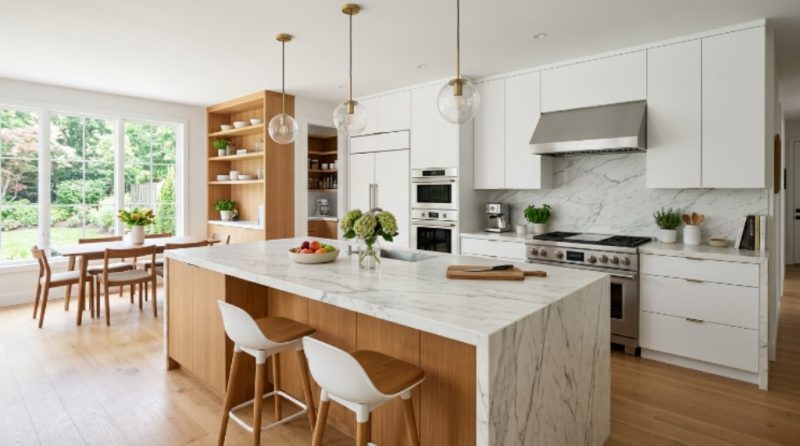
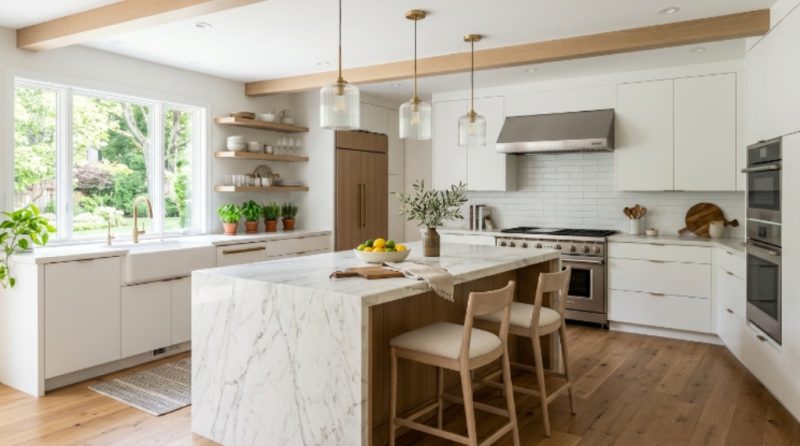
What Is the Easiest Way to Design a Room Using AI?
Use AI room design tools by uploading a photo of your space, selecting a style, adjusting layout suggestions, testing furniture placement, and exporting a visual plan before purchasing anything. Free tools can generate layouts, color palettes, décor ideas, and realistic previews within minutes.
AI room design works by analyzing your space visually. Most tools detect walls, furniture placement, lighting direction, and available floor area automatically. Then they generate multiple layout variations instantly.
This removes the biggest problem in room planning: uncertainty. Instead of guessing whether a sofa fits or a color works, you preview changes first.
Start with a clear photo taken from one corner of your room. Make sure lighting is natural and objects are visible. Upload the image into an AI room planner. Choose a style such as modern, Japandi, minimalist, or Scandinavian. The tool will generate redesigned versions of your room.
Next, refine the layout manually. Replace furniture pieces, adjust spacing, and test wall colors. Most platforms allow drag-and-drop editing even in free versions.
Finally, export the preview and use it as your shopping reference. This prevents buying mismatched items and saves both time and money.
Which Free AI Tools Actually Help Design Your Room?
The most useful free AI room design tools include layout generators, style visualizers, furniture placement planners, and color palette assistants. These tools help you test décor changes before buying items and reduce mistakes by showing realistic previews based on your uploaded room photos.
Not all AI design tools are practical. Some generate attractive images but cannot be used for real planning. The best free platforms allow both visualization and editing.
Here is a comparison of reliable free tools beginners can use:
| Tool Type | Best For | Strength | Limitations |
|---|---|---|---|
| Photo-based AI redesign tools | Style inspiration | Fast visual transformations | Limited layout control |
| 3D room planners | Furniture placement | Accurate measurements | Learning curve |
| Color palette generators | Wall paint decisions | Instant palette suggestions | No layout features |
| Drag-and-drop planners | Full room planning | Realistic arrangements | Fewer export options |
The best strategy is combining two tools instead of relying on one. Use a photo-based generator for inspiration and a layout planner for accuracy.
This hybrid workflow produces designs that are both attractive and practical.

How Do You Upload and Analyze Your Room Correctly?
Upload a clear wide-angle photo taken from eye level with visible walls, floor edges, and lighting direction. Avoid clutter and shadows because AI tools depend on spatial detection accuracy. A better input image produces more realistic layout suggestions and color previews.
Many people blame AI tools for poor results when the issue is actually the uploaded photo quality. AI interprets structure based on visible edges. If walls or corners are hidden, layout suggestions become inaccurate.
Follow these steps before uploading your room image:
- Stand in a corner and capture the full room
- Use daylight instead of artificial lighting
- Remove temporary clutter from the floor
- Keep furniture visible for scale reference
Take two photos from different angles if possible. Some tools allow multiple image uploads for better reconstruction accuracy.
Also avoid extreme camera tilt. Straight horizontal framing improves object detection.
These small adjustments significantly improve AI-generated layouts.
Can AI Suggest Furniture Layouts That Actually Fit?
Yes, AI layout planners calculate spacing using room proportions and object dimensions. They recommend furniture placement that maintains walking paths, improves balance, and prevents overcrowding. However, accuracy increases when you enter measurements manually instead of relying only on photo-based estimates.
Layout planning is where AI becomes most practical. Instead of guessing distances between furniture pieces, you receive structured placement suggestions.
Most free planners include a built-in furniture library. You can drag sofas, beds, desks, or shelves into your layout. The system automatically snaps items into realistic positions.
For better accuracy, enter room dimensions manually if available. Even rough measurements improve results.
AI layout suggestions usually follow three spacing principles:
- Maintain walking clearance around furniture
- Align focal points like beds or TVs
- Balance visual weight across the room
These adjustments make a room feel larger and more functional without adding extra furniture.
How Can AI Help Choose Colors and Decor Styles?
AI color tools analyze lighting conditions, wall size, and furniture tones to generate matching palettes automatically. They suggest coordinated wall paint, accent colors, textiles, and décor combinations that reduce visual clutter while maintaining style consistency across the room.
Color selection is one of the hardest parts of interior design. Many people choose shades separately instead of building a unified palette.
AI solves this by generating coordinated color groups instead of single paint suggestions.
Typical AI palette recommendations include:
- Primary wall color
- Secondary accent tone
- Furniture color match
- Textile compatibility suggestions
Some tools also simulate daylight and nighttime lighting conditions. This helps prevent choosing colors that look different after installation.
Use neutral bases first. Then add one accent color only. AI palette tools perform best when working within limited color ranges.
Is AI Room Design Accurate Enough for Real Planning?
AI room design is accurate for layout visualization, furniture spacing, and color testing but should not replace exact measurement planning before purchasing large furniture. Use AI for previewing decisions, then confirm dimensions manually to avoid fitting mistakes.
AI works best as a decision support tool, not a replacement for measuring tape.
Preview accuracy depends on three factors:
- Image clarity
- Room measurement input
- Furniture size selection
If these are correct, AI previews become highly reliable for planning small apartments, bedrooms, or living rooms.
However, always verify doorway width and ceiling height before purchasing large items like wardrobes or shelving units.
This combination of AI visualization and manual verification produces professional-level results without hiring a designer.
What Is the Step-by-Step Workflow to Design a Room With AI?
The best workflow includes photographing your room, uploading it into an AI planner, selecting a style preset, testing layout variations, adjusting color palettes, exporting the final preview, and using the visual reference before purchasing furniture or décor items.
Following a structured workflow saves hours of trial and error.
Use this process:
- Take wide-angle photos of your room
- Upload images into an AI redesign tool
- Select your preferred interior style
- Generate layout variations
- Adjust furniture placement manually
- Apply color palette suggestions
- Export final visual preview
This method ensures every design decision is tested before spending money.
It also helps you avoid mismatched furniture purchases.
Most beginners see usable results within the first hour using this workflow.
How Can You Avoid Common AI Room Design Mistakes?
Avoid mistakes by using accurate room measurements, limiting furniture quantity, testing multiple style variations, and verifying lighting conditions before choosing colors. AI previews are guides, not final blueprints, so always confirm spacing and proportions before making purchases.
Many users expect AI to produce perfect designs instantly. Instead, treat it as a planning assistant.
The most common mistakes include:
- Uploading low-quality photos
- Ignoring scale accuracy
- Adding too many furniture items
- Mixing conflicting design styles
Limit your layout to essential furniture first. Then test decorative additions later.
Also compare two or three AI-generated versions before choosing one. This increases the chance of selecting the most balanced layout.
Smart comparison leads to better design outcomes.
Conclusion: How AI Makes Room Design Faster and Smarter
AI removes guesswork from interior planning. Instead of imagining layouts mentally, you preview them visually before making changes. This reduces mistakes and improves confidence during decorating decisions.
Free tools now generate layouts, palettes, and furniture placement suggestions within minutes. Even beginners can create structured design plans without hiring professionals.
The most effective strategy is combining inspiration tools with measurement-based planners. This ensures your design is both attractive and realistic.
Start by uploading one photo of your room today. Test two layout variations and one color palette. Within an hour, you will have a clear direction for transforming your space.
AI does not replace creativity. It accelerates it. Use it as your planning partner and design decisions become easier, faster, and more accurate.
FAQ: AI Room Design Questions Beginners Ask
Can AI design a room from a single photo?
Yes. Most AI redesign tools can generate layout ideas and style variations from one photo. However, uploading multiple angles improves spatial accuracy and produces more realistic suggestions.
Are free AI room design tools good enough?
Free tools are sufficient for layout testing, palette selection, and furniture positioning. Paid tools mainly add export quality and advanced customization rather than essential planning features.
Do AI room planners work for small apartments?
Yes. AI planners are especially helpful for small spaces because they optimize furniture placement and walking clearance automatically.
Can AI suggest furniture that matches my style?
Yes. Most AI platforms allow style presets such as minimalist, modern, or Scandinavian and generate matching furniture suggestions accordingly.
Is AI interior design accurate for buying furniture?
AI previews help visualize placement but measurements should always be verified manually before purchasing large furniture pieces.
Do I need design experience to use AI room tools?
No. Most tools are beginner-friendly and require only photo uploads and drag-and-drop adjustments.
How long does AI room design take?
Most users generate their first usable layout within 10 to 20 minutes after uploading a room photo.
Read More Also: How to Decorate Home in Skyrim: Complete Guide
Learn More: How to Organize Cleaning Supplies Under Your Sink (Small Space)